


Adobe Acrobat Standard DC for Teams
In stock
Short Description
- Model: Acrobat Standard DC
- The most trusted PDF solution
- Create, edit, sign, and track documents from anywhere, anytime
- Convert Pdf to Microsoft Office 365 Formats
- E-Signatures & Track Responses in Real-Time)
25,470৳ 28,017৳
In stock
Adobe Acrobat Standard DC for Teams – Streamline Document Workflows with Advanced PDF Tools
The Adobe Acrobat Standard DC for Teams is a powerful PDF solution designed for businesses and teams that require secure, efficient, and collaborative document management. With features like PDF creation and editing , document signing , cloud storage integration , and real-time collaboration , this software empowers teams to streamline workflows, enhance productivity, and ensure compliance with industry standards. Whether you’re creating professional-grade PDFs, editing documents on the go, or securing sensitive information, Adobe Acrobat Standard DC for Teams provides everything you need to manage documents seamlessly. Available exclusively at Best Computer Hub , this solution is your gateway to unlocking advanced PDF tools tailored for modern business environments.
Key Features of Adobe Acrobat Standard DC for Teams
- PDF Creation and Editing: Convert files to PDF and edit text, images, and pages with ease.
- Document Signing: Add legally binding e-signatures to documents for fast approvals.
- Cloud Integration: Store and share files securely using Adobe Document Cloud.
- Real-Time Collaboration: Work on documents simultaneously with team members.
- Security Features: Protect sensitive information with password encryption and redaction tools.
- Customizable Workspaces: Tailor the interface to match your workflow preferences.
- Ongoing Updates and Support: Receive regular updates, bug fixes, and technical support throughout your subscription.
Why Choose Adobe Acrobat Standard DC for Teams?
The Adobe Acrobat Standard DC for Teams isn’t just another PDF tool—it’s a comprehensive solution tailored for professionals who demand precision, scalability, and innovation. Here’s why it’s essential:
1. PDF Creation and Editing
Convert files to PDF and edit them with ease. Use advanced tools to modify text, images, headers, footers, and page layouts without compromising quality.
2. Document Signing
Add legally binding e-signatures to documents for fast approvals. Eliminate the need for printing, scanning, and mailing documents by enabling digital signatures.
3. Cloud Integration
Store and share files securely using Adobe Document Cloud. Access your documents from anywhere and collaborate with teammates in real-time, ensuring everyone stays aligned and informed.
4. Real-Time Collaboration
Work on documents simultaneously with team members. Share feedback, track changes, and maintain version control to ensure smooth collaboration.
5. Security Features
Protect sensitive information with password encryption, redaction tools, and permissions settings. Ensure compliance with industry standards and safeguard your data from unauthorized access.
6. Customizable Workspaces
Tailor the interface to match your workflow preferences. Customize tool palettes, menus, and shortcuts to streamline repetitive tasks and improve efficiency.
7. Ongoing Updates and Support
With an annual subscription, you’ll receive regular updates, new features, and technical support directly from Adobe. Stay ahead of the curve with access to the latest innovations and performance improvements.
Why Choose Best Computer Hub?
Best Computer Hub is your ultimate destination for premium tech products, including the Adobe Acrobat Standard DC for Teams . Here’s why customers trust us:
- Authentic Products: Direct sourcing from authorized distributors ensures genuine software licenses.
- Competitive Pricing: Exclusive deals, discounts, and bundle offers for unbeatable value.
- Expert Support: Assistance with setup, troubleshooting, and performance optimization.
- Hassle-Free Shopping: Secure online ordering at Best Computer Hub or in-store demos at our showrooms.
What is the Price of Adobe Acrobat Standard DC for Teams in Bangladesh?
The price of the Adobe Acrobat Standard DC for Teams varies based on availability and licensing options. Visit our Software Category or contact our showrooms for real-time pricing and customization options.
Stay Connected with Best Computer Hub
📲 Get updates on deals, launches, and tech tips:
👉 Facebook
👉 X (formerly Twitter)
👉 LinkedIn
👉 [YouTube](https://www.youtube.com/ @bestcomputerhubltd)
Empower Your Document Management Today!
The Adobe Acrobat Standard DC for Teams is your key to enabling fast, accurate, and professional document workflows for all your needs. Order now and ensure your document management experience is seamless—only at Best Computer Hub !
Detailed Benefits of Choosing Adobe Acrobat Standard DC for Teams
1. PDF Creation and Editing
- File Conversion: Convert Word, Excel, PowerPoint, and other file formats into high-quality PDFs.
- Text and Image Editing: Modify text, images, headers, footers, and page layouts with ease.
- Professional Results: Ensure your documents look polished and consistent across platforms.
2. Document Signing
- Legally Binding Signatures: Add e-signatures to documents for fast and secure approvals.
- No Printing Required: Eliminate the need for printing, scanning, and mailing documents.
- Compliance: Meet legal and regulatory requirements for electronic signatures.
3. Cloud Integration
- Secure Storage: Store and share files securely using Adobe Document Cloud.
- Real-Time Access: Access your documents from anywhere, whether you’re in the office or on the go.
- Collaboration Made Easy: Share files with teammates and collaborate in real-time for faster project completion.
4. Real-Time Collaboration
- Simultaneous Editing: Work on documents simultaneously with team members without file conflicts.
- Track Changes: Monitor edits and track changes made by others to ensure transparency.
- Version Control: Maintain accountability by tracking document versions and reverting to earlier states if needed.
5. Security Features
- Password Encryption: Protect sensitive documents with strong password protection.
- Redaction Tools: Permanently remove sensitive information from documents.
- Permissions Settings: Control who can view, edit, or print your PDFs.
6. Customizable Workspaces
- Tool Palettes: Organize frequently used tools for quick access.
- Keyboard Shortcuts: Customize shortcuts to streamline repetitive tasks.
- Workspace Profiles: Save and switch between different workspace configurations.
7. Ongoing Updates and Support
- Feature Updates: Stay ahead with access to new tools and functionalities.
- Bug Fixes: Resolve issues quickly with regular patches and updates.
- Technical Support: Get help whenever you need it with round-the-clock support from Adobe.
Who Should Buy Adobe Acrobat Standard DC for Teams?
This software is ideal for:
- Business Professionals: Manage contracts, reports, and proposals with ease.
- Legal Teams: Securely sign and share legal documents with e-signature capabilities.
- HR Departments: Streamline employee onboarding with digital document workflows.
- Marketing Teams: Create and edit professional-grade PDFs for campaigns and presentations.
- Small Businesses: Equip your team with cost-effective document management tools.
Technical Specifications
Comparison with Competitors
- vs. Free PDF Tools: Offers advanced features like e-signatures, cloud integration, and real-time collaboration not available in free alternatives.
- vs. Microsoft Word PDF Export: Provides professional-grade PDF editing and formatting tools beyond basic export capabilities.
- vs. Older Versions: Includes the latest features, performance enhancements, and compatibility with modern hardware.

| Specification | Details |
|---|---|
| Product Name | Adobe Acrobat Standard DC for Teams |
| License Type | Subscription (Team License) |
| Subscription Term | 1 Year |
| Number of Users | 1 named user per license |
| Platform | Windows |
| Delivery Method | Electronic License Delivery (ELD) |
| Operating System | Windows 10 (64-bit), Windows 11 (64-bit) |
| Processor | Multicore Intel or AMD processor with 64-bit support |
| RAM | Minimum 8 GB (16 GB recommended) |
| Hard Disk | 3.6 GB of available hard-disk space for installation; SSD recommended |
| Monitor Resolution | 1024 x 768 display (1920 x 1080 recommended), HiDPI display support |
| Internet Connection | Required for software activation, validation of subscriptions, and access to online services |
| Key Features | Create, edit, sign, and track PDFs; Convert PDFs to Microsoft Office formats; E-signatures; Real-time tracking; Comment and review tools; Password protection; Integration with Microsoft 365 and SharePoint |
| Cloud Storage | 100 GB per user |
| Collaboration Tools | Adobe Document Cloud; Admin Console for license management |
| Support | 24×7 technical support |
| Price in Bangladesh | Approx. ৳25,470 |
Based on 0 reviews
Be the first to review “Adobe Acrobat Standard DC for Teams”
Related products
-
Gaming Component, Desktop PC Component, Motherboard, Motherboard, MSI-Intel, MSI-Intel, PC Component
MSI MPG Z790 EDGE TI MAX WIFI DDR5 ATX Motherboard
-8%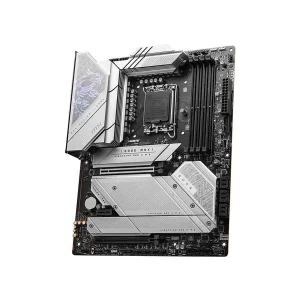 Gaming Component, Desktop PC Component, Motherboard, Motherboard, MSI-Intel, MSI-Intel, PC Component
MSI MPG Z790 EDGE TI MAX WIFI DDR5 ATX Motherboard
Short Description
- Model: MPG Z790 EDGE TI MAX WIFI
- Supported CPU: 14th/13th/12th Gen Core, Pentium Gold & Celeron Processor (LGA 1700)
- Supported RAM: 4x DDR5, 7800+MHz (OC), Max 192GB
- Graphics Output: 1x HDMI, 1x DisplayPort
- Features: 2.5G LAN with Wi-Fi 7 Solution
SKU: M.BOARD-MSI-006 -
Gaming Component, Cooler Master, Cooler Master, Desktop PC Component, PC Component, Power Supply Unit, Power Supply Unit
Cooler Master MWE 550W V2 230V Non-Modular 80 Plus Bronze Power Supply
-9%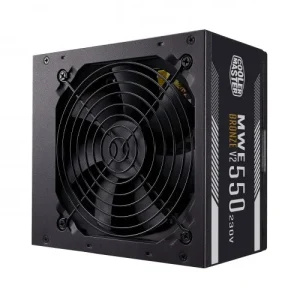 Gaming Component, Cooler Master, Cooler Master, Desktop PC Component, PC Component, Power Supply Unit, Power Supply Unit
Cooler Master MWE 550W V2 230V Non-Modular 80 Plus Bronze Power Supply
Short Description
- Model: MWE 550W V2 230V
- DC-to-DC + LLC Circuit Design
- High-Temperature Resistance
- Peak Power Tolerance
- 80 PLUS Bronze 230V EU Certified
SKU: PS-CoolerMaster-001 -
Gaming Component, Desktop PC Component, Motherboard, Motherboard, MSI-Intel, MSI-Intel, PC Component
MSI MAG B760M MORTAR II DDR5 Intel Gaming Motherboard
-9% Gaming Component, Desktop PC Component, Motherboard, Motherboard, MSI-Intel, MSI-Intel, PC Component
MSI MAG B760M MORTAR II DDR5 Intel Gaming Motherboard
Short Description
- Memory Max. – 192GB
- Memory Slot – 4
- Sockets Supported – LGA1700
- Supported CPU – Supports 12th/13th/14th Gen Intel Core Processors, Pentium Gold and Celeron Processors
- Generation – 12th/13th/14th
SKU: M.BOARD-MSI-004
































































































There are no reviews yet.