


Adobe Fresco CC for Teams
In stock
Short Description
- Model: Fresco CC
- Use vector and raster brushes on the same canvas
- Cloud documents automatically syncs to the cloud
- Easily isolate parts of a layer and turn selections into masks
- Animate your drawings with Motion tools
36,695৳ 40,365৳
In stock
Adobe Fresco CC for Teams – Revolutionize Digital Art with Realistic Brushes and Collaborative Tools
The Adobe Fresco CC for Teams is a cutting-edge digital painting and drawing app designed for artists, illustrators, and creative teams who demand precision, flexibility, and innovation in their workflows. With its revolutionary Live Brushes , vector and raster tools , and seamless integration with Adobe Creative Cloud, Fresco empowers teams to create stunning artwork on both desktop and mobile devices. Whether you’re sketching concepts, illustrating storyboards, or designing marketing materials, this software provides everything you need to bring your creative vision to life. Available exclusively at Best Computer Hub , this solution is your gateway to unlocking professional-grade digital art tools tailored for modern creative workflows.
Key Features of Adobe Fresco CC for Teams
- Live Brushes: Simulate realistic oil and watercolor effects with dynamic, physics-based brushes.
- Vector and Raster Tools: Combine precise vector shapes with pixel-perfect raster artwork.
- Cross-Device Compatibility: Work seamlessly across Windows, macOS, iPad, and other supported devices.
- Cloud Integration: Store and share files securely using Adobe Creative Cloud.
- Collaborative Features: Share artwork and collaborate with teammates in real-time.
- Customizable Workspaces: Tailor the interface to match your workflow preferences.
- Ongoing Updates and Support: Receive regular updates, bug fixes, and technical support throughout your subscription.
Why Choose Adobe Fresco CC for Teams?
The Adobe Fresco CC for Teams isn’t just another drawing app—it’s a comprehensive solution tailored for professionals who demand creativity, scalability, and collaboration. Here’s why it’s essential:
1. Live Brushes
Experience the magic of realistic painting with Live Brushes that simulate oil and watercolor effects. These dynamic brushes use Adobe Sensei AI to mimic the behavior of real-world paints, allowing you to blend colors, layer textures, and create lifelike artwork.
2. Vector and Raster Tools
Combine the precision of vector tools with the flexibility of raster artwork. Use vector shapes for clean lines and scalable designs, while raster tools allow for pixel-perfect details and textures.
3. Cross-Device Compatibility
Work seamlessly across multiple devices, including Windows , macOS , and iPad . Whether you’re sketching on the go or refining artwork on your desktop, Fresco ensures a consistent experience across platforms.
4. Cloud Integration
Store and share files securely using Adobe Creative Cloud. Access your artwork from anywhere and collaborate with teammates in real-time, ensuring everyone stays aligned and informed.
5. Collaborative Features
Share artwork and collaborate with teammates in real-time. Provide feedback, track changes, and maintain version control to ensure smooth collaboration.
6. Customizable Workspaces
Tailor the interface to match your workflow preferences. Customize tool palettes, menus, and shortcuts to streamline repetitive tasks and improve efficiency.
7. Ongoing Updates and Support
With an annual subscription, you’ll receive regular updates, new features, and technical support directly from Adobe. Stay ahead of the curve with access to the latest innovations and performance improvements.
Why Choose Best Computer Hub?
Best Computer Hub is your ultimate destination for premium tech products, including the Adobe Fresco CC for Teams . Here’s why customers trust us:
- Authentic Products: Direct sourcing from authorized distributors ensures genuine software licenses.
- Competitive Pricing: Exclusive deals, discounts, and bundle offers for unbeatable value.
- Expert Support: Assistance with setup, troubleshooting, and performance optimization.
- Hassle-Free Shopping: Secure online ordering at Best Computer Hub or in-store demos at our showrooms.
What is the Price of Adobe Fresco CC for Teams in Bangladesh?
The price of the Adobe Fresco CC for Teams varies based on availability and licensing options. Visit our Software Category or contact our showrooms for real-time pricing and customization options.
Stay Connected with Best Computer Hub
📲 Get updates on deals, launches, and tech tips:
👉 Facebook
👉 X (formerly Twitter)
👉 LinkedIn
👉 [YouTube](https://www.youtube.com/ @bestcomputerhubltd)
Empower Your Creative Workflow Today!
The Adobe Fresco CC for Teams is your key to enabling fast, accurate, and professional digital art creation for all your needs. Order now and ensure your creative experience is seamless—only at Best Computer Hub !
Detailed Benefits of Choosing Adobe Fresco CC for Teams
1. Live Brushes
- Realistic Effects: Simulate oil and watercolor effects with dynamic, physics-based brushes.
- Blending and Layering: Blend colors and layer textures just like traditional painting.
- AI-Powered Technology: Leverage Adobe Sensei AI for lifelike brush behaviors and interactions.
2. Vector and Raster Tools
- Precision and Flexibility: Combine vector shapes for clean lines and raster artwork for detailed textures.
- Scalable Designs: Create artwork that scales perfectly without losing quality.
- Versatility: Switch between tools effortlessly to achieve the desired effect.
3. Cross-Device Compatibility
- Multi-Platform Support: Work seamlessly across Windows, macOS, and iPad.
- Consistent Experience: Ensure a uniform workflow whether you’re on a desktop or mobile device.
- On-the-Go Creativity: Sketch and refine artwork wherever inspiration strikes.
4. Cloud Integration
- Secure Storage: Store and share files securely using Adobe Creative Cloud.
- Real-Time Access: Access your artwork from anywhere, whether you’re in the studio or traveling.
- Collaboration Made Easy: Share files with teammates and collaborate in real-time for faster project completion.
5. Collaborative Features
- Simultaneous Editing: Work on artwork simultaneously with team members without file conflicts.
- Track Changes: Monitor edits and track changes made by others to ensure transparency.
- Version Control: Maintain accountability by tracking document versions and reverting to earlier states if needed.
6. Customizable Workspaces
- Tool Palettes: Organize frequently used tools for quick access.
- Keyboard Shortcuts: Customize shortcuts to streamline repetitive tasks.
- Workspace Profiles: Save and switch between different workspace configurations.
7. Ongoing Updates and Support
- Feature Updates: Stay ahead with access to new tools and functionalities.
- Bug Fixes: Resolve issues quickly with regular patches and updates.
- Technical Support: Get help whenever you need it with round-the-clock support from Adobe.
Who Should Buy Adobe Fresco CC for Teams?
This software is ideal for:
- Professional Artists: Create stunning illustrations, concept art, and digital paintings with ease.
- Creative Teams: Collaborate on projects and share artwork seamlessly with teammates.
- Illustrators: Design storyboards, book covers, and marketing materials with precision.
- Freelancers: Deliver high-quality artwork for clients while maintaining flexibility and efficiency.
- Educational Institutions: Teach students the fundamentals of digital art and design tools.
Technical Specifications
Comparison with Competitors
- vs. Procreate: Offers cross-platform compatibility and cloud integration, making it ideal for teams compared to iPad-only Procreate.
- vs. Free Alternatives: Provides advanced features like Live Brushes, vector tools, and collaborative workflows not available in free drawing apps.
- vs. Older Versions: Includes the latest features, performance enhancements, and compatibility with modern hardware.

| Specification | Details |
|---|---|
| Product Name | Adobe Fresco CC for Teams |
| License Type | Subscription (Team License) |
| Subscription Term | 1 Year |
| Number of Users | 1 named user per license |
| Platform | Windows, iOS |
| Delivery Method | Electronic License Delivery (ELD) |
| Operating System | Windows 10 version 21H2 or later; Windows 11 version 22000 or later; iOS 16 or later |
| Graphics Processor | Intel, Nvidia, or AMD GPU with DirectX Feature Level 12.1 |
| RAM | Minimum 8 GB |
| Hard Disk | 5 GB of available disk space for installation |
| Internet Connection | Required for software activation, validation of subscriptions, and access to online services |
| Stylus Support | Apple Pencil (1st and 2nd Generation), Surface Pen, Wacom pressure-sensitive pens |
| Key Features | Vector and raster brushes on the same canvas; Live brushes for watercolors and oils; Cloud document syncing; Motion tools for animation; Layer masking |
| Cloud Storage | Not specified |
| Collaboration Tools | Shared libraries, version control, commenting |
| Support | 24×7 technical support |
| Price in Bangladesh | Approx. ৳36,695 (varies by retailer) |
Based on 0 reviews
Be the first to review “Adobe Fresco CC for Teams”
Related products
-
Desktop PC Component, PC Component, Power Supply Unit, Power Supply Unit, Thermaltake, Thermaltake
Thermaltake Toughpower GF3 1000W 80 Plus Gold Fully Modular Power Supply
-10%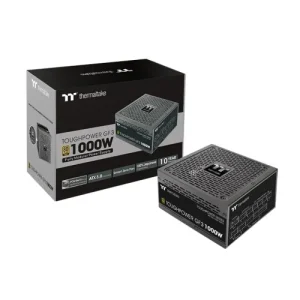 Desktop PC Component, PC Component, Power Supply Unit, Power Supply Unit, Thermaltake, Thermaltake
Thermaltake Toughpower GF3 1000W 80 Plus Gold Fully Modular Power Supply
Short Description
- Model: Toughpower GF3
- Modular: Fully Modular
- Power (W): 1000 Watts
- Certifications: 80 Plus Gold
- Cooling : 13.5cm fluid bearing fan
SKU: PS-Thermaltake-003 -
Desktop PC Component, Motherboard, Motherboard, MSI-AMD, MSI-AMD, PC Component
MSI B450 Gaming Plus MAX AMD Motherboard
-9% Desktop PC Component, Motherboard, Motherboard, MSI-AMD, MSI-AMD, PC Component
MSI B450 Gaming Plus MAX AMD Motherboard
Short Description
- Model: MSI B450 GAMING PLUS MAX
- Supports 1st, 2nd and 3rd Gen AMD Ryzen/ Ryzen
- Lightning Fast Game experience
- Supports DDR4, up to 4133(OC) MHz
- Core Boost, DDR4 Boost, Audio Boost
SKU: M.BOARD-MSI-001 -
Gaming Component, Desktop PC Component, PC Component, Power Supply Unit, Power Supply Unit, Thermaltake, Thermaltake
Thermaltake SMART BM2 550W Semi Modular 80 Plus Bronze Power Supply
-1% Gaming Component, Desktop PC Component, PC Component, Power Supply Unit, Power Supply Unit, Thermaltake, Thermaltake
Thermaltake SMART BM2 550W Semi Modular 80 Plus Bronze Power Supply
Short Description
- Model: Thermaltake SMART BM2 550W
- Smart BM2 550W: TT Premium Edition
- Ultra Quiet 140mm Rifle Bearing Fan
- Semi Modular Flat Cable Design
- Japanese Main Capacitor
SKU: PS-Thermaltake-001 -
Gaming Component, Cooler Master, Cooler Master, Desktop PC Component, PC Component, Power Supply Unit, Power Supply Unit
Cooler Master XG850 Plus Platinum Full Modular ARGB 850W Power Supply with Digital Options
-15%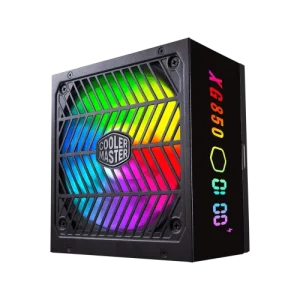 Gaming Component, Cooler Master, Cooler Master, Desktop PC Component, PC Component, Power Supply Unit, Power Supply Unit
Cooler Master XG850 Plus Platinum Full Modular ARGB 850W Power Supply with Digital Options
Short Description
- Model: XG850 Plus Platinum
- Intel ATX 12V Version 2.53
- 80 PLUS Platinum Certified
- Quiet ARGB 135mm silent Fan, Built-in Information Display Panel
- Full-Modular Cabling with 100% Japanese In-Line Capacitors
SKU: PS-CoolerMaster-003































































































There are no reviews yet.