


Adobe Premiere Pro for Teams
In stock
Short Description
- Model: Premiere Pro
- Color Correction
- Motion Graphics Templates
- Edit video and audio, design motion graphics
- Add visual effects with industry-leading
62,000৳ 67,000৳
In stock
Adobe Premiere Pro for Teams – Professional Video Editing for Collaborative Workflows
The Adobe Premiere Pro for Teams is a powerful video editing software designed for filmmakers, video editors, content creators, and creative teams who need to produce high-quality videos with precision, flexibility, and innovation. With features like real-time collaboration , multi-cam editing , advanced color correction , and seamless integration with Adobe Creative Cloud, Premiere Pro empowers teams to streamline workflows, enhance productivity, and deliver stunning visuals. Whether you’re editing short films, creating marketing videos, or producing YouTube content, this software provides everything you need to bring your creative vision to life. Available exclusively at Best Computer Hub , this solution is your gateway to unlocking professional-grade video editing tools tailored for modern collaborative environments.
Key Features of Adobe Premiere Pro for Teams
- Real-Time Collaboration: Work seamlessly with team members on the same project using cloud-based tools.
- Multi-Cam Editing: Edit footage from multiple cameras simultaneously for dynamic storytelling.
- Advanced Color Correction: Apply professional-grade color grading tools for cinematic results.
- Cloud Integration: Store and share files securely using Adobe Creative Cloud.
- Motion Graphics Templates: Create and customize motion graphics with ease using Adobe After Effects integration.
- Audio Editing Tools: Enhance audio quality with advanced effects and noise reduction.
- Ongoing Updates and Support: Receive regular updates, bug fixes, and technical support throughout your subscription.
Why Choose Adobe Premiere Pro for Teams?
The Adobe Premiere Pro for Teams isn’t just another video editing tool—it’s a comprehensive solution tailored for professionals who demand creativity, scalability, and collaboration. Here’s why it’s essential:
1. Real-Time Collaboration
Work simultaneously with teammates on the same project without worrying about version conflicts. Real-time collaboration ensures that everyone stays aligned and informed throughout the editing process.
2. Multi-Cam Editing
Edit footage from multiple cameras simultaneously to create dynamic, multi-angle sequences. Ideal for interviews, live events, and action-packed scenes.
3. Advanced Color Correction
Apply professional-grade color grading tools to enhance the mood and tone of your videos. Use features like Lumetri Color to achieve cinematic results with precision.
4. Cloud Integration
Store and share files securely using Adobe Creative Cloud. Access your projects from anywhere and collaborate with teammates in real-time, ensuring smooth communication and alignment.
5. Motion Graphics Templates
Create and customize motion graphics with ease using templates from Adobe After Effects. Add titles, transitions, and visual effects without needing advanced design skills.
6. Audio Editing Tools
Enhance audio quality with advanced effects like noise reduction, EQ, and compression. Ensure your videos sound as good as they look with integrated audio editing tools.
7. Ongoing Updates and Support
With an annual subscription, you’ll receive regular updates, new features, and technical support directly from Adobe. Stay ahead of the curve with access to the latest innovations and performance improvements.
Why Choose Best Computer Hub?
Best Computer Hub is your ultimate destination for premium tech products, including the Adobe Premiere Pro for Teams . Here’s why customers trust us:
- Authentic Products: Direct sourcing from authorized distributors ensures genuine software licenses.
- Competitive Pricing: Exclusive deals, discounts, and bundle offers for unbeatable value.
- Expert Support: Assistance with setup, troubleshooting, and performance optimization.
- Hassle-Free Shopping: Secure online ordering at Best Computer Hub or in-store demos at our showrooms.
What is the Price of Adobe Premiere Pro for Teams in Bangladesh?
The price of the Adobe Premiere Pro for Teams varies based on availability and licensing options. Visit our Software Category or contact our showrooms for real-time pricing and customization options.
Stay Connected with Best Computer Hub
📲 Get updates on deals, launches, and tech tips:
👉 Facebook
👉 X (formerly Twitter)
👉 LinkedIn
👉 [YouTube](https://www.youtube.com/ @bestcomputerhubltd)
Empower Your Video Editing Workflow Today!
The Adobe Premiere Pro for Teams is your key to enabling fast, accurate, and professional video editing for all your needs. Order now and ensure your creative experience is seamless—only at Best Computer Hub !
Detailed Benefits of Choosing Adobe Premiere Pro for Teams
1. Real-Time Collaboration
- Simultaneous Editing: Work on the same project with multiple team members in real-time.
- Conflict-Free Workflow: Avoid version conflicts and ensure everyone stays on the same page.
- Efficient Communication: Share feedback and updates instantly to speed up the editing process.
2. Multi-Cam Editing
- Dynamic Storytelling: Edit footage from multiple cameras to create engaging, multi-angle sequences.
- Time-Saving: Sync clips automatically and switch between angles with ease.
- Versatility: Ideal for interviews, live events, and fast-paced action scenes.
3. Advanced Color Correction
- Cinematic Results: Use Lumetri Color tools to adjust exposure, contrast, and saturation for professional-grade visuals.
- Mood Enhancement: Fine-tune colors to match the tone and style of your video.
- Consistency: Apply consistent color grading across multiple clips for a polished look.
4. Cloud Integration
- Secure Storage: Store and share files securely using Adobe Creative Cloud.
- Real-Time Access: Access your projects from anywhere, whether you’re in the studio or on the go.
- Collaboration Made Easy: Share files with teammates and collaborate in real-time for faster project completion.
5. Motion Graphics Templates
- Customizable Graphics: Add titles, transitions, and visual effects with pre-built templates.
- Seamless Integration: Import templates from Adobe After Effects for advanced motion graphics.
- Creative Freedom: Customize templates to match your brand or project requirements.
6. Audio Editing Tools
- Professional-Quality Sound: Enhance audio with effects like noise reduction, EQ, and compression.
- Sync Audio Tracks: Align dialogue, music, and sound effects seamlessly.
- Polished Output: Ensure your videos sound as good as they look with integrated audio tools.
7. Ongoing Updates and Support
- Feature Updates: Stay ahead with access to new tools and functionalities.
- Bug Fixes: Resolve issues quickly with regular patches and updates.
- Technical Support: Get help whenever you need it with round-the-clock support from Adobe.
Who Should Buy Adobe Premiere Pro for Teams?
This software is ideal for:
- Filmmakers: Edit short films, documentaries, and feature-length projects with ease.
- Video Editors: Produce high-quality videos for clients or internal use.
- Content Creators: Create engaging YouTube videos, social media content, and marketing materials.
- Creative Teams: Collaborate seamlessly on video projects and iterate quickly.
- Educational Institutions: Teach students the fundamentals of video editing and post-production.
Technical Specifications
Comparison with Competitors
- vs. Final Cut Pro: Offers cross-platform compatibility (Windows and macOS) compared to Final Cut Pro, which is macOS-only.
- vs. Free Alternatives: Provides advanced features like multi-cam editing, real-time collaboration, and professional-grade tools not available in free tools.
- vs. Older Versions: Includes the latest features, performance enhancements, and compatibility with modern hardware.

| Specification | Details |
|---|---|
| Software Name | Adobe Premiere Pro for Teams |
| License Type | Team License |
| Platform | Windows, macOS |
| Subscription Type | Annual (Team) |
| Video Editing | Professional Non-linear Editing |
| Format Support | MP4, MOV, AVI, MXF, ProRes, more |
| Resolution Support | Up to 8K |
| Timeline Editing | Multitrack |
| Color Grading | Lumetri Color |
| Audio Tools | Essential Sound Panel |
| Integration | Adobe Creative Cloud, After Effects |
| Collaboration Tools | Team Projects, Shared Libraries |
| System Requirements | Minimum 16 GB RAM, 8 GB VRAM |
| Internet Requirement | Required for activation |
| Language Support | Multilingual |
Based on 0 reviews
Be the first to review “Adobe Premiere Pro for Teams”
Related products
-
Gaming Component, Cooler Master, Cooler Master, Desktop PC Component, PC Component, Power Supply Unit, Power Supply Unit
Cooler Master XG850 Plus Platinum Full Modular ARGB 850W Power Supply with Digital Options
-15%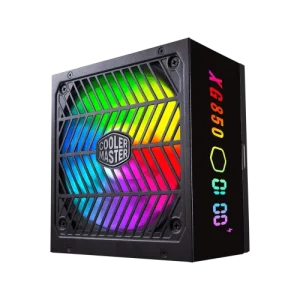 Gaming Component, Cooler Master, Cooler Master, Desktop PC Component, PC Component, Power Supply Unit, Power Supply Unit
Cooler Master XG850 Plus Platinum Full Modular ARGB 850W Power Supply with Digital Options
Short Description
- Model: XG850 Plus Platinum
- Intel ATX 12V Version 2.53
- 80 PLUS Platinum Certified
- Quiet ARGB 135mm silent Fan, Built-in Information Display Panel
- Full-Modular Cabling with 100% Japanese In-Line Capacitors
SKU: PS-CoolerMaster-003 -
Desktop PC Component, G.Skill, G.Skill, Gaming Component, PC Component, RAM, RAM-Desktop
G.Skill Trident Z5 RGB 16GB DDR5 6600MHz Silver Gaming Desktop RAM
-8%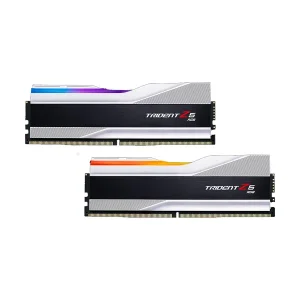 Desktop PC Component, G.Skill, G.Skill, Gaming Component, PC Component, RAM, RAM-Desktop
G.Skill Trident Z5 RGB 16GB DDR5 6600MHz Silver Gaming Desktop RAM
Short Description
- RAM Type – DDR5
- Bus Speed(MHz) – 6600MHz
- Number of Pin – 288 Pin
- CAS Latency – 34-40-40-105
- LED Lighting – RGB
SKU: RAM-GSKILL-006 -
Desktop PC Component, G.Skill, G.Skill, Gaming Component, PC Component, RAM, RAM-Desktop
G.Skill Trident Z Royal RGB 8GB DDR4 4600MHz Silver Heatsink Desktop RAM
-33% Desktop PC Component, G.Skill, G.Skill, Gaming Component, PC Component, RAM, RAM-Desktop
G.Skill Trident Z Royal RGB 8GB DDR4 4600MHz Silver Heatsink Desktop RAM
Short Description
- RAM Type – DDR4
- Bus Speed(MHz) – 4600MHz
- Number of Pin – 288 Pin
- CAS Latency – CL18-22-22-42
- LED Lighting – RGB
SKU: RAM-GSKILL-001 -
Gaming Component, Cooler Master, Cooler Master, Desktop PC Component, PC Component, Power Supply Unit, Power Supply Unit
Cooler Master MWE 550W V2 230V Non-Modular 80 Plus Bronze Power Supply
-9%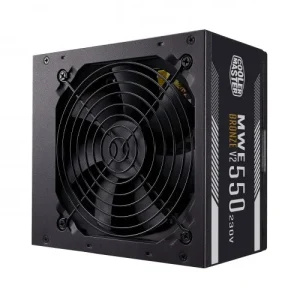 Gaming Component, Cooler Master, Cooler Master, Desktop PC Component, PC Component, Power Supply Unit, Power Supply Unit
Cooler Master MWE 550W V2 230V Non-Modular 80 Plus Bronze Power Supply
Short Description
- Model: MWE 550W V2 230V
- DC-to-DC + LLC Circuit Design
- High-Temperature Resistance
- Peak Power Tolerance
- 80 PLUS Bronze 230V EU Certified
SKU: PS-CoolerMaster-001































































































There are no reviews yet.