

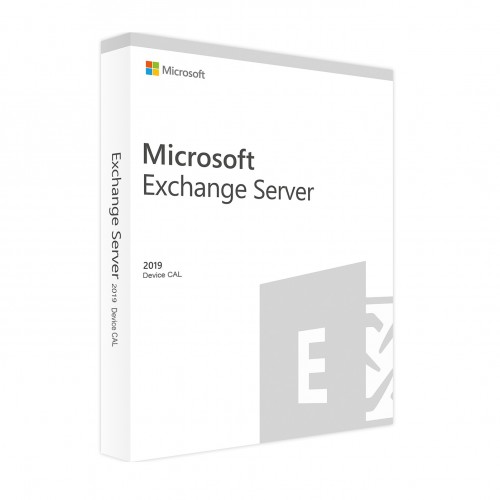
Microsoft Exchange Server 2019 Standard Device CAL
In stock
Short Description
- Model: Exchange Server 2019 Standard Device CAL
- Supports 1 Admin User/ 1 Server
- Open Business Licensing
- Licensed for Home and Commercial Use
9,565৳ 10,522৳
In stock
Microsoft Exchange Server 2019 Standard Device CAL – Empower Your Business with Secure Email and Collaboration
The Microsoft Exchange Server 2019 Standard Device CAL (Client Access License) is a critical component for businesses leveraging Exchange Server 2019 to enable secure email communication, collaboration, and productivity. Designed for organizations that require robust email infrastructure, this CAL ensures compliance with Microsoft’s licensing requirements while providing access to advanced features like enhanced security, hybrid cloud integration, and mobile device management. Available exclusively at Best Computer Hub , the Exchange Server 2019 Standard Device CAL is your gateway to unlocking seamless communication and collaboration tools for your workforce.
Key Features of Microsoft Exchange Server 2019 Standard Device CAL
- Device-Based Licensing: Each CAL grants access to Exchange Server for one device, ensuring compliance with Microsoft’s licensing policies.
- Enhanced Security: Protect sensitive communications with advanced encryption, threat detection, and data loss prevention (DLP).
- Hybrid Cloud Integration: Seamlessly integrate on-premises Exchange deployments with Microsoft 365 for hybrid email management.
- Mobile Device Management: Enable secure access to emails and calendars from mobile devices with robust MDM capabilities.
- Improved Performance: Optimize email delivery and storage with faster performance and reduced latency.
- Compliance Tools: Meet regulatory requirements with built-in compliance and auditing features.
Why Choose Microsoft Exchange Server 2019 Standard Device CAL?
The Microsoft Exchange Server 2019 Standard Device CAL isn’t just another licensing solution—it’s the foundation for secure, reliable, and scalable email communication in your organization. Here’s why it’s essential:
1. Device-Based Licensing
With the Device CAL , you ensure compliance with Microsoft’s licensing model by granting access to Exchange Server for each device used within your organization. This eliminates the risk of audits or penalties due to non-compliance.
2. Enhanced Security
Protect your organization’s sensitive communications with advanced security features like Advanced Threat Protection (ATP) , Data Loss Prevention (DLP) , and Encryption . These tools safeguard your emails and attachments from modern threats.
3. Hybrid Cloud Integration
Seamlessly integrate your on-premises Exchange deployment with Microsoft 365 for hybrid email management. This flexibility allows you to leverage the benefits of both environments while maintaining control over your data.
4. Mobile Device Management
Enable secure access to emails, calendars, and contacts from mobile devices with robust Mobile Device Management (MDM) capabilities. Ensure your team stays connected while maintaining strict security policies.
5. Improved Performance
Optimize email delivery and storage with Exchange Server 2019 ’s improved architecture. Faster performance and reduced latency ensure a smooth user experience, even under heavy workloads.
6. Compliance Tools
Meet regulatory requirements with built-in compliance and auditing features. Track and monitor email activity to ensure adherence to industry standards and internal policies.
Why Choose Best Computer Hub?
Best Computer Hub is your ultimate destination for premium tech products, including the Microsoft Exchange Server 2019 Standard Device CAL . Here’s why customers trust us:
- Authentic Products: Direct sourcing from authorized distributors ensures genuine software licenses.
- Competitive Pricing: Exclusive deals, discounts, and bundle offers for unbeatable value.
- Expert Support: Assistance with setup, troubleshooting, and performance optimization.
- Hassle-Free Shopping: Secure online ordering at Best Computer Hub or in-store demos at our showrooms.
What is the Price of Microsoft Exchange Server 2019 Standard Device CAL in Bangladesh?
The price of the Microsoft Exchange Server 2019 Standard Device CAL varies based on availability and licensing options. Visit our Software Category or contact our showrooms for real-time pricing and customization options.
Stay Connected with Best Computer Hub
📲 Get updates on deals, launches, and tech tips:
👉 Facebook
👉 X (formerly Twitter)
👉 LinkedIn
👉 YouTube
Unlock Secure Email Communication Today!
The Microsoft Exchange Server 2019 Standard Device CAL is your key to enabling secure, reliable, and scalable email communication for your organization. Order now and ensure your business is equipped with the tools it needs to thrive—only at Best Computer Hub !
Detailed Benefits of Choosing Microsoft Exchange Server 2019 Standard Device CAL
1. Device-Based Licensing
- Compliance Assurance: Ensure your organization adheres to Microsoft’s licensing requirements to avoid fines or legal issues.
- Scalability: Easily add more CALs to accommodate additional devices as your workforce grows.
- Cost Efficiency: Purchase only the licenses you need, ensuring cost-effective deployment.
2. Enhanced Security
- Advanced Threat Protection (ATP): Detect and block malicious emails before they reach your inbox.
- Data Loss Prevention (DLP): Prevent accidental sharing of sensitive information with predefined policies.
- Encryption: Protect emails and attachments with end-to-end encryption.
3. Hybrid Cloud Integration
- Microsoft 365 Integration: Seamlessly connect your on-premises Exchange deployment with Microsoft 365 for hybrid email management.
- Flexibility: Manage emails across on-premises and cloud environments with ease.
- Business Continuity: Ensure uninterrupted email service with automated backups and failover capabilities.
4. Mobile Device Management
- Secure Access: Enable secure access to emails, calendars, and contacts from mobile devices.
- Policy Enforcement: Enforce strict security policies to protect corporate data on mobile devices.
- Remote Wipe: Remotely wipe sensitive data from lost or stolen devices.
5. Improved Performance
- Faster Delivery: Optimize email delivery for faster communication.
- Reduced Latency: Minimize delays and improve user experience, even under heavy workloads.
- Efficient Storage: Reduce storage costs with improved email archiving and retention policies.
6. Compliance Tools
- Auditing and Reporting: Track and monitor email activity to ensure compliance with industry standards.
- Regulatory Support: Meet GDPR, HIPAA, and other regulatory requirements with built-in compliance features.
- Retention Policies: Automatically archive or delete emails based on predefined policies.
Who Should Buy Microsoft Exchange Server 2019 Standard Device CAL?
This CAL is ideal for:
- Small and Medium Businesses: Enable secure email communication without breaking the bank.
- Enterprises: Scale your email infrastructure to meet the demands of large-scale operations.
- IT Administrators: Simplify email management and ensure compliance with industry standards.
- Remote Teams: Enable secure access to emails and calendars for remote and mobile workers.
Technical Specifications
Comparison with Competitors
- vs. User CAL: Offers device-based licensing, making it ideal for organizations with shared devices or multiple users per device.
- vs. Enterprise Edition: Provides most of the core features at a lower cost, making it suitable for small and medium businesses.
- vs. Older Versions: Includes the latest features, security enhancements, and compatibility with modern hardware.

| Specification | Details |
|---|---|
| Product | Microsoft Exchange Server 2019 Standard |
| License Type | Device CAL (Client Access License) |
| Edition | Standard |
| Version | 2019 |
| Licensing Model | Device-based (licenses for devices accessing Exchange) |
| Requirements | Requires a licensed device to access Exchange Server |
| Activation | Via Microsoft Volume Licensing |
| Compatibility | Supports Windows Server 2016/2019/2022 |
| Features | Email, calendaring, contacts, tasks, and unified messaging |
| Virtualization Rights | Supported on virtualized environments |
| Support | Microsoft Support Included |
| Delivery | Digital or physical delivery (Volume Licensing) |
Based on 0 reviews
Be the first to review “Microsoft Exchange Server 2019 Standard Device CAL”
Related products
-
Server, Storage & Software, DELL, Server
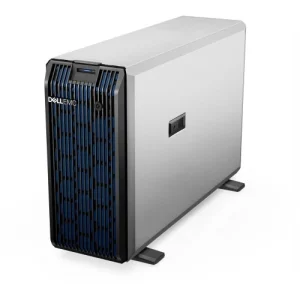
Dell PowerEdge T350 Tower Server
Short Description
- Model: PowerEdge T350
- Processor: Intel Xeon E-2356G 3.2GHz, 12M Cache, 6C/12T, Turbo (80W), 3200 MT/s
- Chassis Type: 3.5″ Chassis with up to 8 Hot Plug Hard Drives and AIC PERC, hot-plug PSU
- Memory: 16GB UDIMM, 3200MT/s, ECC
- RAID Controller: PERC H355 Adapter FH (RAID levels 0, 1, 10 )
SKU: Dell-Server-002 -
Server, Storage & Software, NAS Storage, Synology
Synology DiskStation DS1823xs+ 8-Bay NAS Enclosure
-4%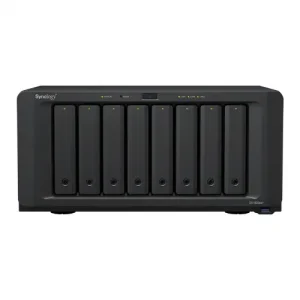 Server, Storage & Software, NAS Storage, Synology
Synology DiskStation DS1823xs+ 8-Bay NAS Enclosure
Short Description
- Model: DiskStation DS1823xs+
- Processor: 3.35 GHz AMD Ryzen V1780B 4-Core CPU
- RAM: 8 GB DDR4 ECC SODIMM
- HDD Interface: 8 x 3.5″ / 2.5″ SATA, 2 x M.2 2280 NVMe SSD
- LAN: 1 x 10GbE Port, 3 x 1GbE Ports
SKU: Nas-Storage-003 -






























































































There are no reviews yet.